
Trending title formats
The title shapes gaining views this week, with every video behind them.
Type what your video is about and get 25 tags that fit inside YouTube's 500 characters. Copy them all in one click.
One line is enough. Say the topic the way a viewer would search for it.
Specific phrases first, broader words after, all inside the 500 character limit.
Copy all, then paste into the Tags box under Show more in the upload screen.
Put your most specific phrase first. If the video is about fixing a flat bike tyre, lead with that exact phrase, not with the word cycling.
Use phrases people would type, two to four words long. Add a few common misspellings if your topic has them. That is the one job YouTube says tags do well.
Do not add tags that have nothing to do with the video. YouTube treats misleading tags as a policy problem, and they bring the wrong viewers anyway.
Tags are a small signal. The title and thumbnail decide whether anyone clicks, so spend your time there.
Inside Algrow you search by what a video is about and how its title is built, not by tags.
The title shapes gaining views this week, with every video behind them.
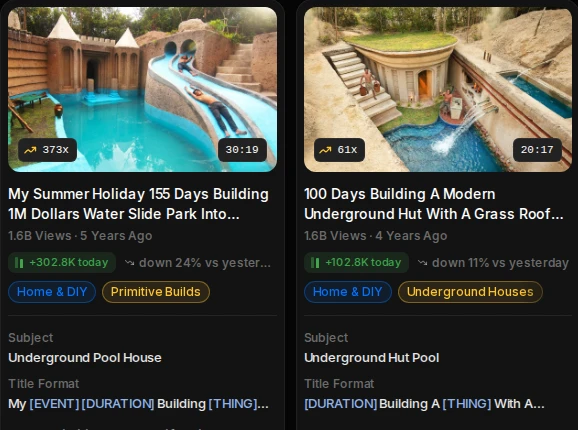
Every video shows its views today, its subject and its title format.
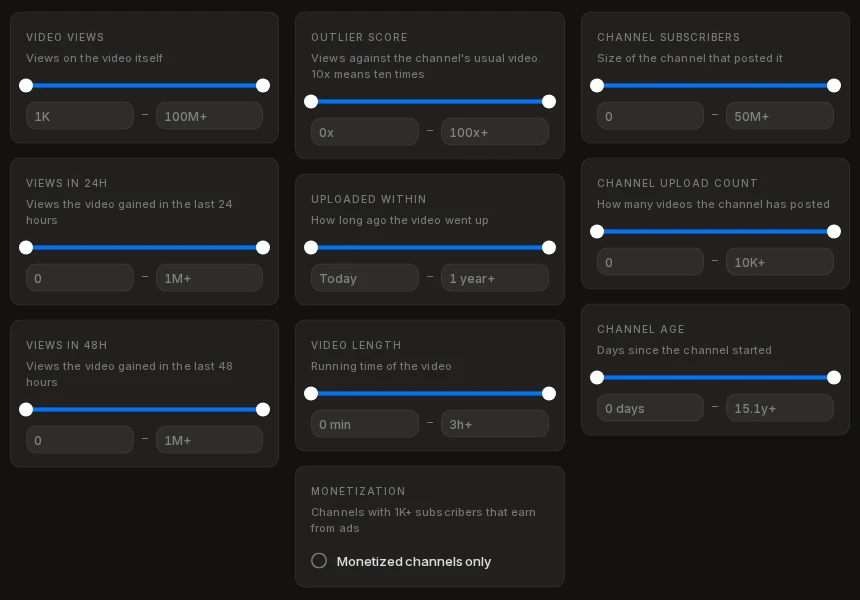
Views in 24 and 48 hours, upload date, video length, monetization, channel age and upload count.
Algrow tracks millions of YouTube channels and videos every day, so you can see what is working and what to make next.
There is no required number. YouTube allows 500 characters in total. Ten to twenty-five specific tags is plenty.
A little. YouTube says the title, thumbnail and description matter more, and that tags help most when a topic is often misspelled.
In YouTube Studio, open the video's details, click Show more and paste them into the Tags box, separated by commas.
No. Tags are hidden and go in the Tags box. Hashtags are visible, start with # and go in the title or description.
Yes, with no sign-up. There is a daily limit so everyone gets a turn.