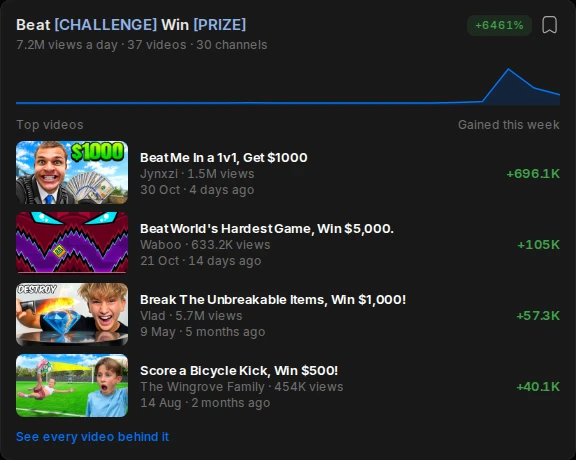
Trending title formats
The title shapes gaining views this week, with every video behind them.
Type what your video is about and get a description you can paste: a strong first two lines, what the video covers, and hashtags.
One line about the topic. Add the main point if you have one.
Two opening lines with your search phrase, a short list of what is covered, and three hashtags.
Replace the [TIMESTAMPS] and [LINKS] lines with your chapters and links, then paste it into YouTube.
The first two lines matter most. They show in search results and above the Show more fold, so say what the viewer gets and use the phrase they would search.
Add chapters. A list of timestamps starting at 0:00 turns into chapters on the video, which helps viewers jump to the part they want.
Put links below the opening lines, not above them. Your channel, anything you mention in the video, and what to watch next.
Use two or three hashtags at most. YouTube shows the first three above the title and ignores all of them if you add more than sixty.
Inside Algrow you see the formats and subjects gaining views before you write a word.
The title shapes gaining views this week, with every video behind them.
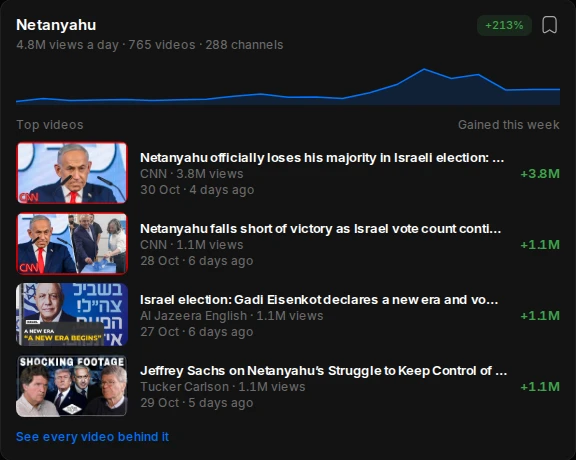
The topics pulling views right now, and how fast they are growing.
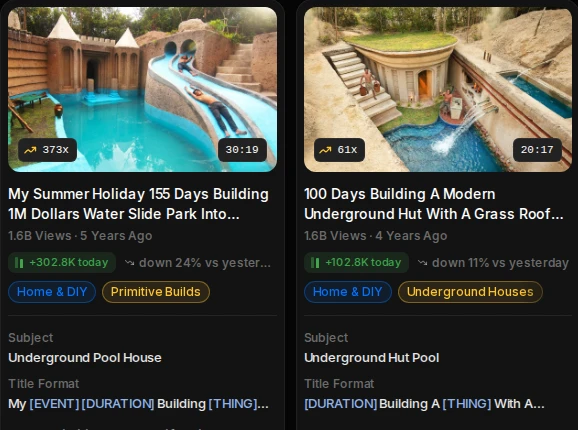
Every video shows its views today, its subject and its title format.
Algrow tracks millions of YouTube channels and videos every day, so you can see what is working and what to make next.
YouTube allows 5,000 characters. Most good descriptions use a few hundred: two strong lines, chapters and links.
Yes, a little. YouTube reads the description to understand the video, and the first lines show in search results.
List timestamps in the description starting with 0:00, at least three of them, each on its own line with a short label.
Two or three. The first three show above your title. More than sixty and YouTube ignores them all.
Yes, with no sign-up. There is a daily limit so everyone gets a turn.